Slope,
measured.
Read the green beneath your feet, then measure the distance to the hole. Putt Break turns your iPhone Pro into a precise learning aid for better-informed putts.
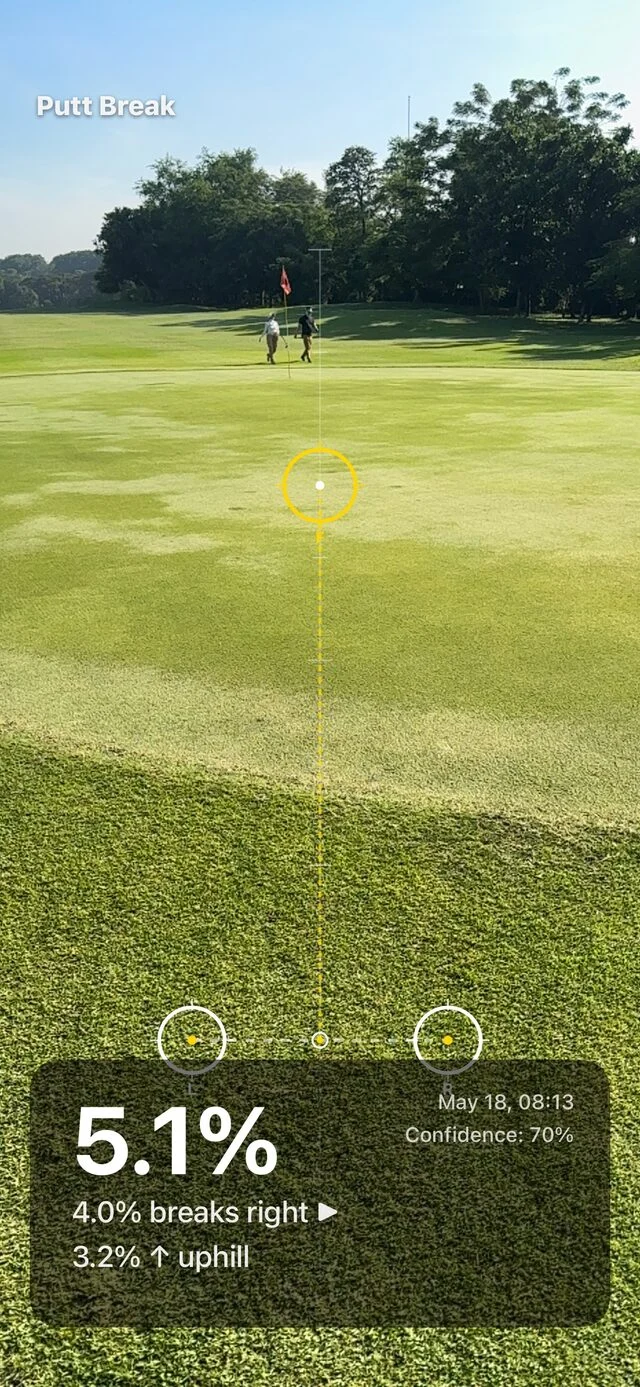
Two axes.
One clear read.
Most green-reading methods give you a feeling. Putt Break gives you a measurement.
Slope is shown as a percentage, broken down by side break and uphill or downhill—with a confidence indicator so you know when the reading has stabilized.
Your iPhone's LiDAR sensor resolves tiny height differences. Putt Break aligns the surface to gravity, averages repeated samples, and makes subtle contours legible.
Stand, read, putt.
- 01
Read the slope
Hold your iPhone over your stance. Confidence dots fill as the reading stabilizes; a haptic cue tells you when the measurement is ready.
- 02
Measure the distance
Switch to Distance mode and aim toward the hole. See the putt length from where you stand, in meters or feet.
- 03
Build your read
Combine the surface and distance with your own feel. Save an overlaid photo for later review, then roll the putt.
Real reads,
real rounds.
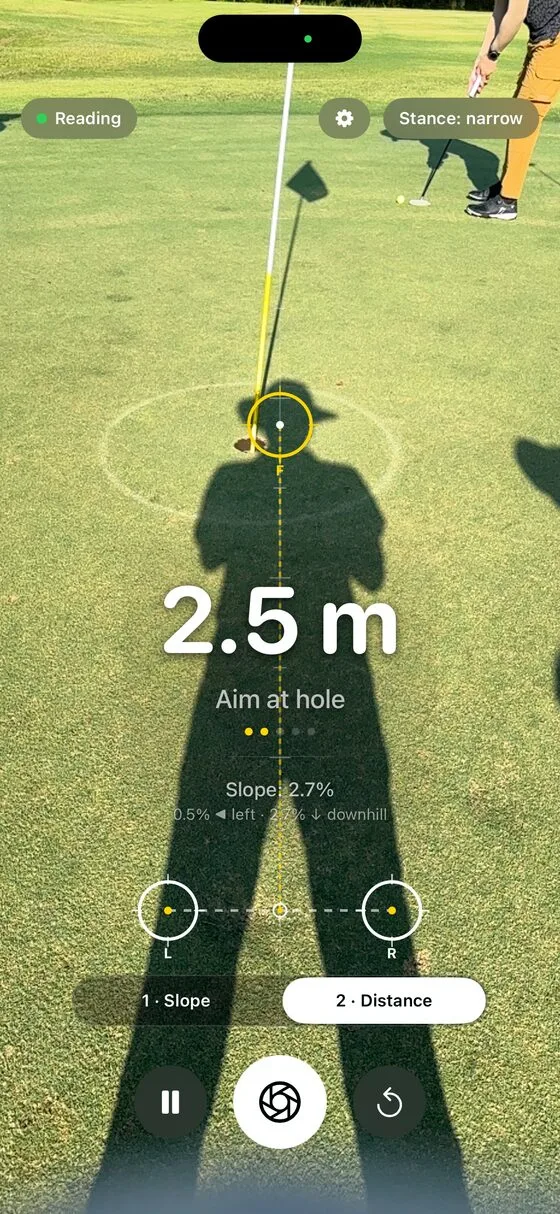
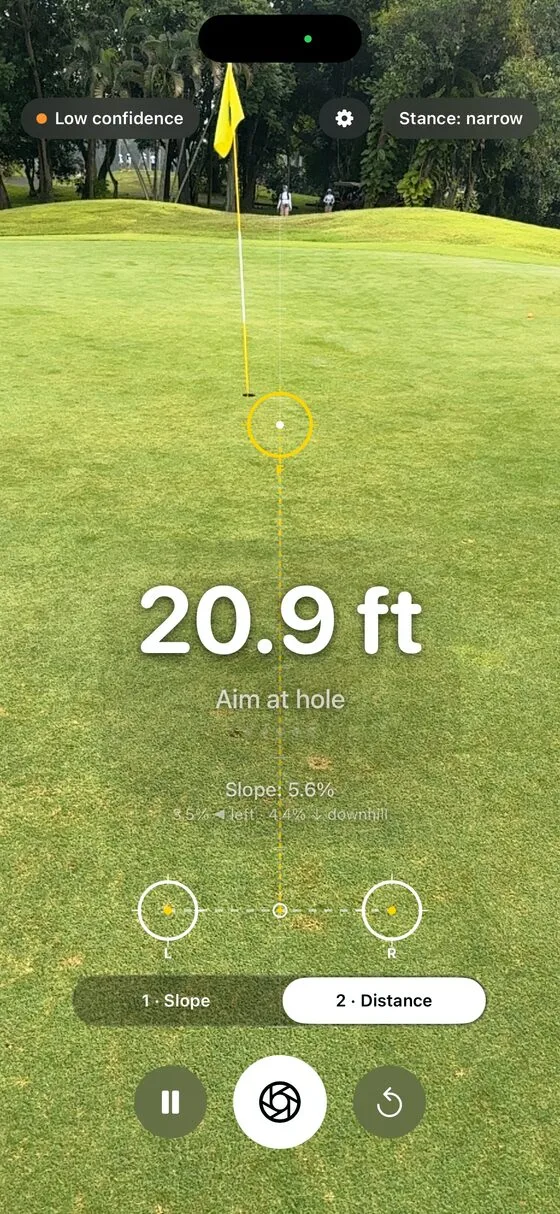
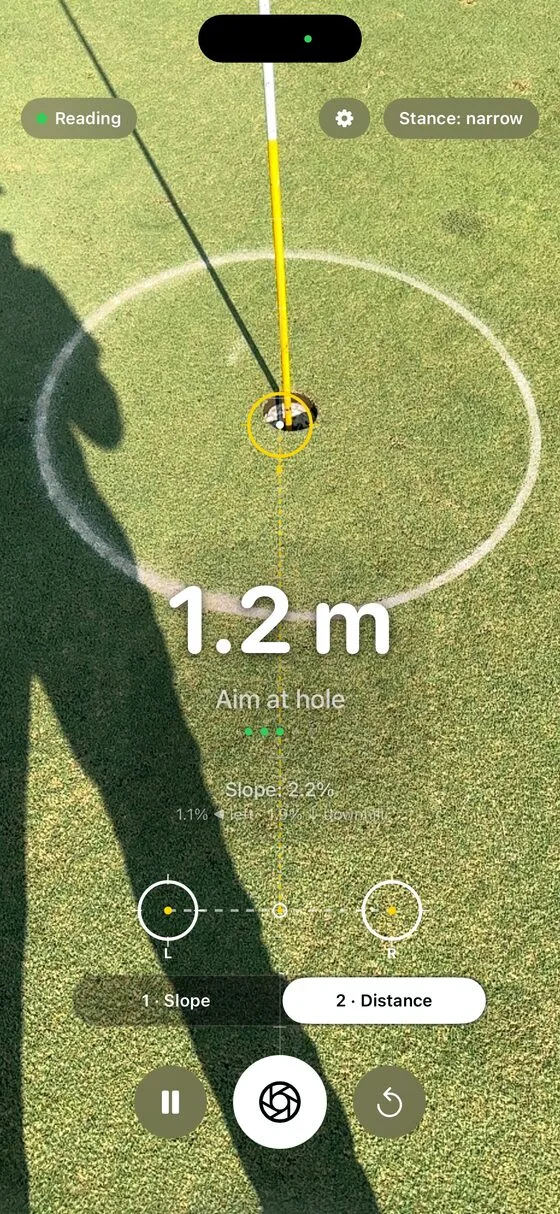
It measures the ground.
You make the putt.
Putt Break doesn't tell you where to aim or predict where the ball will end up. It doesn't know the green speed, wind, grain, or your stroke.
It measures the surface precisely. The number is yours to interpret, combine with your feel, and translate into a putt.
For practice and learning. Electronic slope measurement is not permitted during tournament play under Rule 4.3. Always check your club's rules.
Made for
iPhone Pro.
- Device
- iPhone Pro / Pro Max with LiDAR
- Minimum model
- iPhone 12 Pro
- iOS
- 17.0 or later
- Best range
- Within ~5m, up to 30m
- Internet
- Not required
See the green more clearly.